Prepare marketplace metadata
A cooked Set cannot go straight to OpenSea, on purpose. It links files by their paths inside the Set
(images/0001.png), but a marketplace needs addresses it can fetch (ipfs://<CID>/1.png), file
names a contract can compute (1, not 0001.json), and a collection file for the contract itself.
The export card's MARKETPLACE tab and the matching nfty export options write all of that into
the export. The cooked Set is never changed.
Before you start: open the Set, press Export…, choose the Marketplace preset, and open the MARKETPLACE tab.
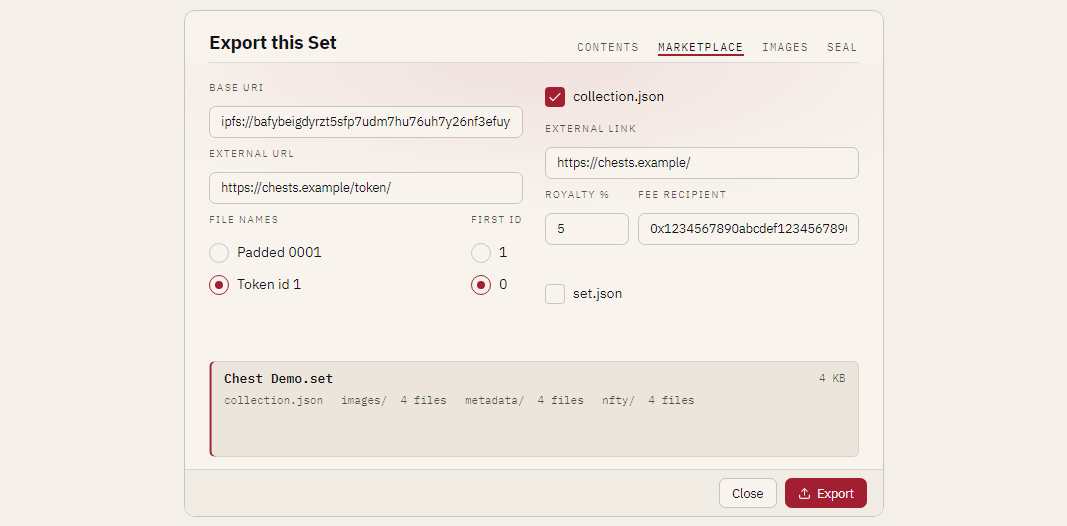
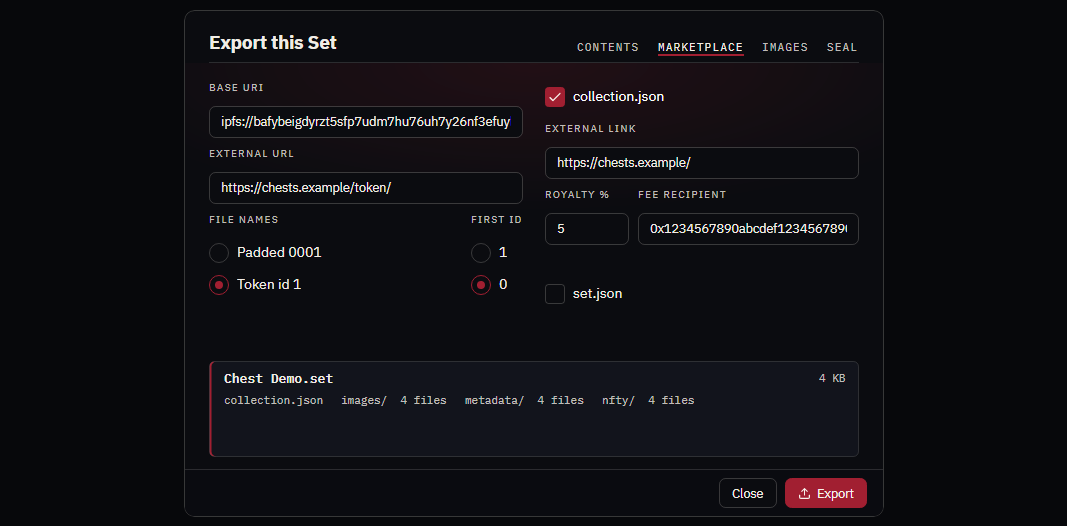
The fields
| Field | CLI option | Writes |
|---|---|---|
| FILE NAMES: Padded / Token id | --token-names padded\|token-id |
How files are named. See below. |
| FIRST ID: 1 / 0 | --start-id 1\|0 |
The first asset's token id. |
| IMAGE BASE URI | --image-base-uri |
Each item's image: this plus the file name. |
| MODEL BASE URI | --model-base-uri |
Each item's animation_url, for glb models. |
| EXTERNAL URL | --external-url |
Each item's external_url: this plus its token id. |
| collection.json | --collection / --no-collection |
OpenSea's contract-level file. |
| EXTERNAL LINK | --external-link |
collection.json's external_link. |
| ROYALTY % | --royalty |
seller_fee_basis_points (2.5% becomes 250). 0 to 100, at most two decimals. Needs a fee recipient. |
| FEE RECIPIENT | --fee-recipient |
0x and 40 hexadecimal digits. |
| (CLI only) | --collection-image |
collection.json's image, if not the first token's. |
Art only (--art-only) is step one of a by-hand upload: see
Upload by hand. If you use the UPLOAD tab, leave both base URIs empty;
the upload fills them in.
Each base URI must be absolute (ipfs, https, http or ar) and end with a slash. nfty refuses
anything else and names the rule, rather than repairing it. An uploaded folder's CID addresses its
contents, so the link is ipfs://<CID>/1.png, with no images/ in it.
Name files the way your contract counts
A contract builds a token's address as baseURI + tokenId. With Token id names the files are
named by that id alone: metadata/1 with no extension, images/1.png, models/1.glb, and the
#n in each item's name and every link follow. FIRST ID is 1 (the default) or 0, as your
contract counts; id = set number − 1 + first id.
The Marketplace preset starts at Token id. Padded (0001.json, 0001.png) is the Set's own
naming, byte for byte. nfty/ always keeps the Set's names.
An export that keeps set.json records its naming (a files block) so nfty reopens it as a Set, and
exporting it again renames correctly. Such an export cannot be extended; extend the source Set and
export again. Models cooked as .gltf plus .bin are renamed as a pair, with the link inside the
.gltf rewritten.
Describe the collection for the contract
With collection.json ticked, nfty writes OpenSea's contractURI file:
{
  "name": "Chest Demo",
  "description": "A demo collection that ships with nfty: layered chests to open, edit and cook. Nothing here is precious - break it and rebuild it.",
  "image": "ipfs://<imagesCID>/1.png",
  "external_link": "https://example.com/",
  "seller_fee_basis_points": 500,
  "fee_recipient": "0x1234567890abcdef1234567890abcdef12345678",
  "symbol": "CHST"
}
Name, description and symbol come from the Set. The image is the first token's image when an image
base URI is set and the art is included, unless you give one. Empty fields are left out.
Keep the seed to yourself
set.json records the seed and the book's hash. The Marketplace preset turns it off so a public drop
does not publish them. An export without it is not a Set (it records no seed, rarity or DNA) and
cannot be sealed.
What a finished item looks like
metadata/1 exported from the demo with the options above:
{
  "name": "Chest Demo #1",
  "description": "A demo collection that ships with nfty: layered chests to open, edit and cook. Nothing here is precious - break it and rebuild it.",
  "image": "ipfs://<imagesCID>/1.png",
  "external_url": "https://example.com/chest/1",
  "attributes": [
    { "trait_type": "Type", "value": "Chest" },
    { "trait_type": "Feet", "value": "Skids" },
    { "trait_type": "Body", "value": "Plated" },
    { "trait_type": "Body Color", "value": "Orange" },
    { "trait_type": "Bands", "value": "Straps" },
    { "trait_type": "Bands Color", "value": "Gray" },
    { "trait_type": "Lock", "value": "Latch" },
    { "trait_type": "Lock Color", "value": "Yellow" },
    { "trait_type": "Glow", "value": "None" },
    { "trait_type": "Trim", "value": "None" }
  ]
}
Type is the Recipe; the … Color traits and None are explained in
Color traits and None. nfty writes no
display_type or numeric traits: its traits are categories, not numbers.
Check the bundle before you upload it
The panel at the foot of the card (and the terminal) lists every file and every warning: relative links, metadata whose images are not in the export, a collection with no image. An export of nothing is refused.
To look at the result as a marketplace would, open it: Open a cooked .set… for a packed one, or
start the app on a folder with Nfty.Desktop "<folder>". It opens in the viewer's gallery marked
upload bundle, not a Set, one tile per item with its picture, name and traits, and the rail shows
what collection.json says. Pictures are found inside the bundle only (an ipfs://…/1.png link is
matched to the bundle's own images/1.png); nothing is fetched from the network. From a terminal,
nfty inspect <folder> prints the same check.
A folder counts as a bundle when it has no set.json, has metadata/, and its first item has a
name, an image and an attributes list.