Layer kinds and value-maps
Every layer is one of three kinds, chosen when you create it. The kind decides how you draw the layer and how nfty colors it, so it is the most consequential choice you make about a layer.
The idea: draw lightness, let nfty supply the hue
When you shade a sphere you make two decisions at once: its shape, and which parts are bright or dark. Its hue (red, blue, gold) is a third, independent decision.
A value-map keeps the first two and leaves the third open. You draw in gray, where gray means lightness: dark in shadow, bright where light hits. At generation time nfty keeps every pixel's lightness exactly as drawn and injects a hue and saturation. Draw the sphere once in gray and it can be red, blue or gold, correctly shaded in each.
This is why a small amount of art goes a long way. A layer with two gray drawings and a wide hue range is not two options; it is two shapes times however many colors nfty can tell apart. It also keeps a collection coherent: every asset shares your shapes and shading while looking different.
The cost is that a gray drawing looks unfinished, and judging shading without hue takes practice. The editor's live preview tile shows the layer in a rolled color as you draw, so you are never guessing.
The three kinds
D Dynamic: a different color on every asset
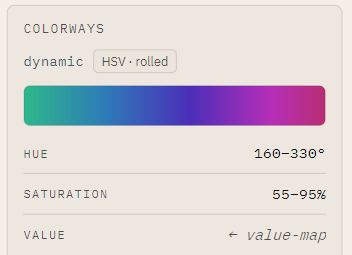
Drawn in gray. Each asset rolls a color from ranges you set: a hue range (0 to 360 degrees) and a saturation range (0 to 100%). A layer can carry several weighted ranges, for example warm timber 60% of the time and cold metal 40%.
Use it for anything that should vary: fur, auras, clothing, gems.
S Static: one fixed color, always
Drawn in gray, colored with one color you choose. Same color on every asset; no randomness.
Use it for anything that must stay consistent but is easier to shade in gray: an outline, a shadow, a brand color, the demo's brass lock. Static is not a lesser Dynamic. It is the kind that says this never varies, and a collection where everything rolls is noise.
C Custom: exactly what you drew
Full-color art, composited as-is and never recolored. It carries no colorization at all.
Use it when the colors are the point: a logo, a detailed background, multi-colored trim.
How each kind counts
| Kind | Drawn in | Color at generation | Adds to DNA | Published traits |
|---|---|---|---|---|
| Dynamic | Gray | Rolled per asset | Variant + quantized color | Layer and Layer Color |
| Static | Gray | One fixed color | Variant + its one color | Layer and Layer Color |
| Custom | Full color | None | Variant only | Layer |
A Dynamic layer multiplies the unique DNA space by its variants and its color buckets; a Custom layer by its variants alone. Colors are named as traits by a fixed table; see Color traits and None.
Choosing
| If the layer... | Use |
|---|---|
| should look different on different assets | Dynamic |
| must be the same color every time, but is shading or a silhouette | Static |
| has colors that are the point | Custom |
Changing your mind
You can switch a layer between Dynamic and Static in the Ingredient Editor. Switching to Static asks first, because it discards the ranges. Color art can only be saved as Custom; converting a gray layer to Custom discards its hue and saturation ranges and quantize steps for good. See Paint in color and use transparency.
See a layer's range
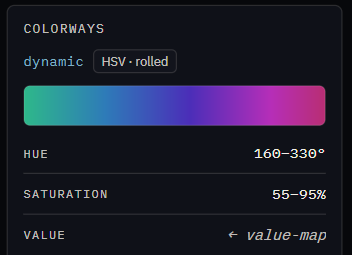
The Ingredient panel's COLORWAYS shows the actual colors a layer can roll, laid out by hue across and saturation down: