Rules: never or always together
A rule controls which variants may be rolled on the same asset. Use one to stop a hat clipping through tall ears, or to make a matching pair always appear together. Rules live on a Recipe.
| Relationship | Means |
|---|---|
| Never together (exclude) | When the trigger variant is rolled, none of the targets may be. |
| Always together (require) | When the trigger variant is rolled, every target must be too. |
Add a rule
- In the Explorer, unlock editing and select the Recipe.
- In the RULES panel, click +.
- Under WHEN THIS IS ROLLED, choose the trigger layer and variant.
- Under RELATIONSHIP, choose Never together or Always together.
- Under THESE ARE, choose a target layer and variant. + Target adds another; a rule with several targets forbids (or demands) all of them.
- Click the confirm button. The form will not save a rule that duplicates one the Recipe already has.
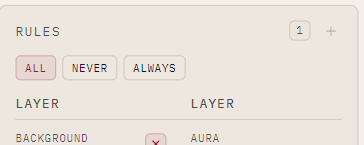
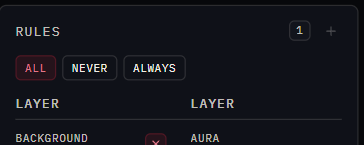
The panel lists rules in the order they were added, which is the numbering the command line uses
(nfty remove rule --at 2). Hover a row for Edit and Delete. The ALL / NEVER / ALWAYS
chips filter the view; the count in the header always describes the whole Recipe.
What happens when a rule fires
nfty rolls a whole asset, checks it against every rule, and re-rolls the whole asset (Recipe included) if one is broken, until it finds a legal combination or runs out of its per-asset reroll budget (10,000 by default).
- Rules shrink the unique DNA space. The Recipe's unique DNA figure already accounts for them.
- Rules shift the odds; see Rarity and weights.
- A rule only fires when its trigger layer is present. See Leave a layer out sometimes.
Rules can exclude everything
Enough overlapping rules can leave no legal combination. nfty reports a rule conflict and refuses to cook rather than looping forever. Remove or loosen a rule.
From the command line
Rules are added to a loose .rcp: