Settings
The Settings card holds the app's own preferences, none of which change what a CookBook cooks. Open it with the gear at the right end of the status bar. It has four tabs, and a fifth, SYSTEM, on Windows.
GENERAL
| Setting | Does |
|---|---|
| THEME | System follows your operating system; Light or Dark always. Ctrl+T switches too, and the choice is remembered. |
| NEW CANVAS | The side, in pixels, that a new CookBook's or loose Ingredient's canvas starts at (32 unless changed). The creation form can still change it; past 512 the card warns that cooking many assets that size is slow. |
PERFORMANCE
WORKER THREADS: how many threads heavy work uses (reading and writing archives, cooking, exporting, building models). Auto uses two thirds of the machine's logical processors; a custom value picks a number, up to the machine's. The change applies from the next operation.
The thread count never changes what is written: the same book and seed give the same bytes at any
count. If the NFTY_THREADS environment variable is set, it wins and the control is locked, saying
so.
PUBLISHING
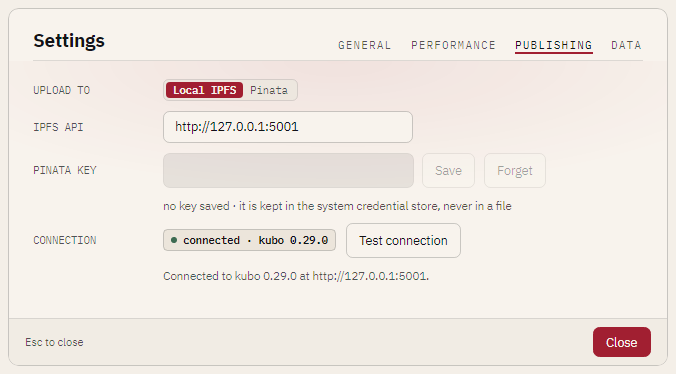
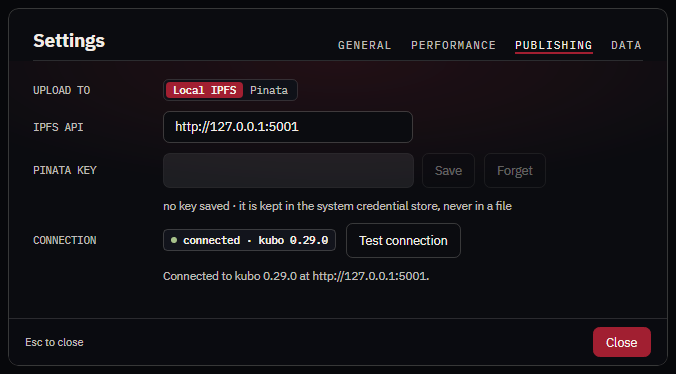
Where the export card's Upload sends a collection. See Upload to IPFS.
| Setting | Does |
|---|---|
| UPLOAD TO | Local IPFS (default): IPFS Desktop or Kubo on this machine, no account. Pinata: the hosted pinning service, with your own key. |
| IPFS API | The local node's RPC address, http://127.0.0.1:5001 unless you changed your node's. |
| PINATA KEY | Paste the key's JWT and press Save. It goes to your system's credential store (Windows Credential Manager, the macOS keychain, or the Secret Service on Linux through secret-tool) and nowhere else; the card shows only •••• and the last four characters. Forget removes it. Without a credential store nfty refuses to save and says what to install; it never falls back to a file. |
| CONNECTION | Whether nfty can reach the chosen service now. Checked when the card opens, when the provider or key changes, and on Test connection. |
DATA
| Setting | Does |
|---|---|
| KEPT IN | Where nfty's .nfty state folder is, or that this session keeps nothing on disk. |
| RECENT FILES | Clear recents forgets the opening screen's list. No file is touched. |
| WINDOWS, VIEWS | Reset returns viewer windows to their default sizes and the editor to its default grid and rail. |
| DATA FOLDER | Open folder opens the .nfty folder. |
What each file in that folder holds is in Settings files.
SYSTEM (Windows only)
Which files Windows opens with nfty, for your Windows user. It has its own page: Open files with nfty on Windows.