Cook a Set
Cooking rolls a CookBook into a Set: a folder of finished, numbered assets with their metadata. The same dialog also adds assets to a Set you cooked before.
Before you start: the book must be valid. The CookBook panel's status chip says so; click it to see any problems. The lock does not need to be open.
Cook a new Set
-
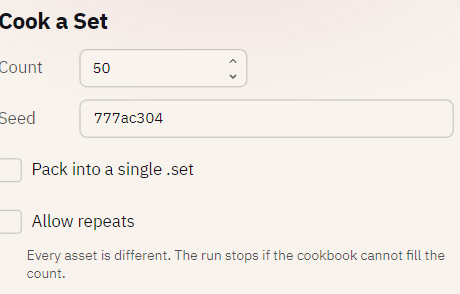
Select the CookBook in the Explorer and click Cook Set.
-
Fill in the options:
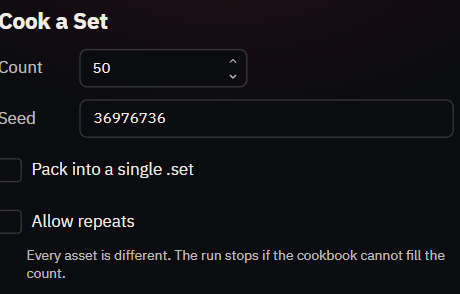
Option Means COUNT How many assets to make. SEED Any word. Arrives with a random one; the die rolls another. The same book and seed always cook the same collection. RECIPE Every Recipe by its weight (the default), or one Recipe only. Pack into a single .set Also write the folder as one .setarchive, inside the folder.Allow repeats Keep every roll, even a duplicate DNA. Any count becomes possible; identity becomes the token number. See Allowing repeats. Include 3D models Also write a model of every asset into models/. See below. -
Click Cook and choose an empty folder.
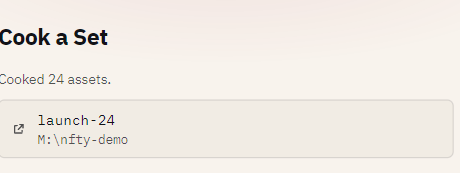
A progress bar runs while the assets are rolled and written; Cancel stops it. When it finishes, the dialog reports the result. Click the folder row to open it in your file manager, or Open Set to browse it in the Set browser. What the folder holds is in What a Set contains.
Add assets to an existing Set
Choose a folder that already holds a Set in step 3. nfty extends it instead of overwriting it:
- COUNT becomes the number to add; the dialog shows the resulting total (
→ 750 total). - Every existing asset, image and DNA is kept. New assets never collide with old ones and continue the numbering.
- Rarity is recomputed across the whole collection, so existing items'
rarityfields are rewritten. - The Set's own Recipe mix is used, so the RECIPE choice is set aside.
- If the book has changed since the Set was cooked (its hash differs), the dialog warns and carries on. A changed book rolls differently; see Why a seed reproduces a collection.
- A Set cooked with models gets models for the new assets in the same format, whatever the box says.
The command-line equivalent is nfty extend; see Cook, extend and model.
Cook with 3D models
Tick Include 3D models and every asset also gets a glTF model in models/, named like its image
(0001.glb). Model options opens a row for:
| Option | Choices |
|---|---|
| FORMAT | GLB (one file, the default), glTF with a .bin, or glTF with the data embedded. |
| PIVOT | Bottom center (default), center, or min corner. |
| VOXEL SIZE | World units per pixel, 0.001 to 1000 (default 1). |
Models use the depth saved on each variant. A variant with no depth is flat paper, one voxel thick, so paint depth first on the Rise page if you want relief. An asset with nothing fully opaque gets no model and is counted in the result.
If Include 3D models is dimmed, the book is 2D only: some variant has partly transparent pixels. The line beside the box says how many; see Fix a 2D-only book.
If the book cannot make enough
Without Allow repeats, asking for more than the book's UNIQUE DNA is refused before anything is written, with the real maximum named. Raise the figure, cheapest first:
- Widen a hue or saturation range on a Dynamic layer (COLORIZE tab). No drawing needed.
- Make the quantize steps finer. Smaller steps mean more colors count as different.
- Add a variant. The only one that adds visible variety, not just count.
- Loosen a rule. Every rule removes combinations.
Or tick Allow repeats and stop needing the figure. Weights still decide rarity.
Colors multiply the count; variants multiply the variety
A book with two drawings and a huge hue range can produce a million distinct assets that all look like the same two drawings. Push both.
If a cook stops with "the reroll budget ran out", legal unique rolls exist but are hard to hit at
random, usually because of rules. Loosen them, or cook from the command line with a larger
--max-rerolls.