Export a Set
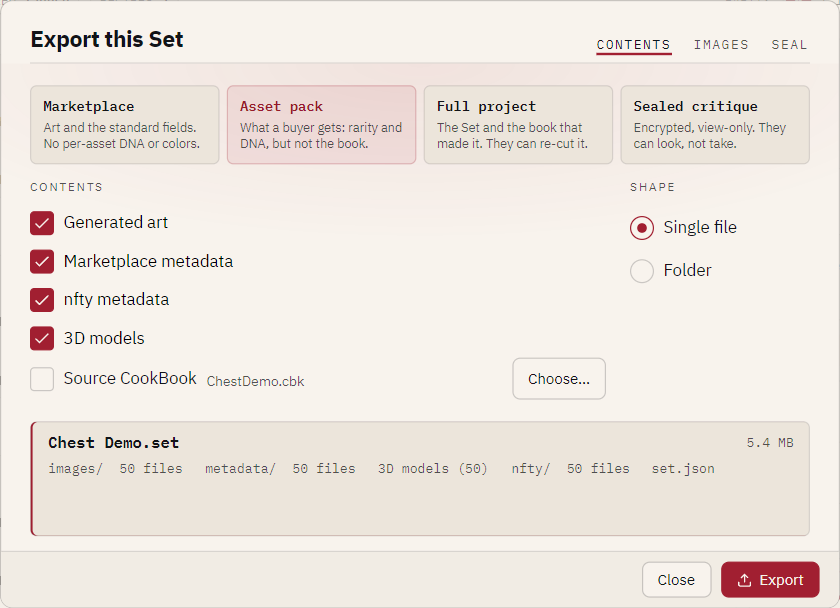
Write a copy of a cooked Set for somebody else, with exactly the parts they should have. The panel at the foot of the export card lists every file that will be written, generated by the code that writes them, so it cannot promise one thing and ship another. Read it before you press Export.
Before you start: open the Set in the Set browser. A sealed .tin
cannot be exported.
In the app
-
Press Export… in the Set browser header.
-
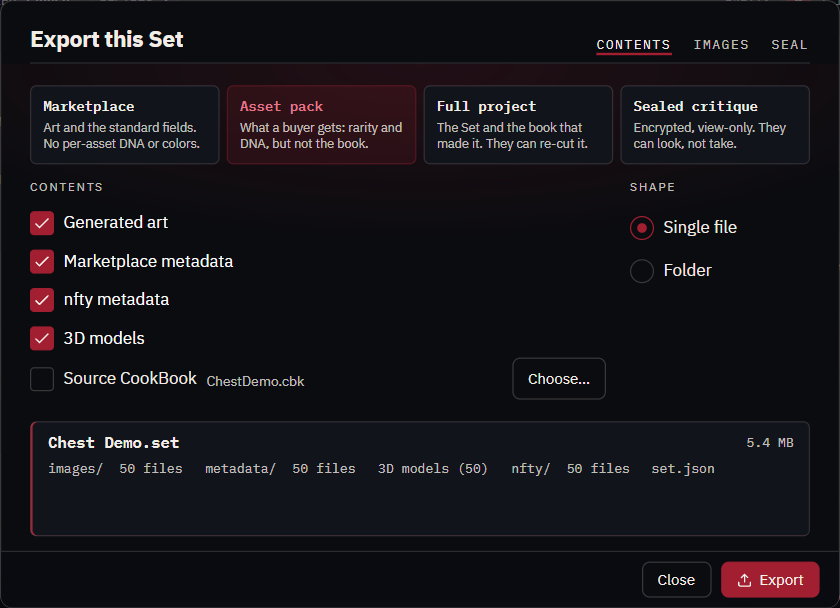
Choose a preset (see the four presets), then adjust the tabs:
Tab Holds CONTENTS Generated art ( images/), Marketplace metadata (metadata/), nfty metadata (nfty/), 3D models (models/, dimmed on a Set without them), set.json, Source CookBook, and the SHAPE: Single file or Folder.IMAGES SPRITESHEET: stitch every asset into one spritesheet.png(columns and rows). DEBUG MARK: stamp each exported image with its set number, in a corner you pick.SEAL Encrypt and mark view-only. See Send a sealed copy. MARKETPLACE Links, file names, royalty and collection.json. See Prepare marketplace metadata.UPLOAD Upload to IPFS in one step. See Upload to IPFS. -
Press Export and choose where to write.
The export is named after the collection (Chest Demo.set), not the folder you cooked into.
Choosing the contents
nfty/is what a public listing should not carry. It records, for every asset, the seed and the exact color rolled on every layer. A buyer wants it; a marketplace has no use for it.set.jsoncarries the seed, the source book's hash and the rarity table. It is what makes the export reopen as a Set. The Marketplace preset leaves it out so the seed is not published; such an export is an upload bundle.- Source CookBook. A Set records only its book's hash, so nfty looks for the matching book among the ones it knows and beside the Set, and accepts it only if the hash matches; Choose… picks one elsewhere. A book that is not the source is warned about. Whoever receives the book can cook the collection again, and a different one, from your art; the card says so.
- Models are copied exactly as cooked. The debug mark stamps exported images only and never reaches a model's texture.
- The spritesheet lays assets left to right, top to bottom in set-number order, so cell
nis assetn+1, and records its grid inside the PNG. It is limited to 16,384 pixels a side; nfty states the numbers before it starts rather than running out of memory. A missing asset leaves its cell empty.
From the command line
nfty export ./collection --out ./dist --preset assetpack
nfty export ./collection --out ./dist --preset fullproject --book book.cbk
nfty export ./collection --out ./dist --preset assetpack --no-nfty --folder
nfty export ./collection --out ./dist --preset assetpack --sheet --sheet-cols 10
nfty export ./collection --out ./dist --preset assetpack --watermark --watermark-corner top-left
The command prints every part it wrote, and warnings on stderr. Every option is in the command reference.
Opening what somebody sent you
Open a cooked .set… on the opening screen takes both .set and .tin. A sealed export first tells
you what it is (the collection's name, the asset count and the sender's note) and then asks for the
passphrase. From a terminal: