Put a collection on a marketplace
A cooked Set cannot go straight to OpenSea, and that is deliberate: it records files by the paths
inside the Set (images/0001.png), and a marketplace needs addresses it can fetch
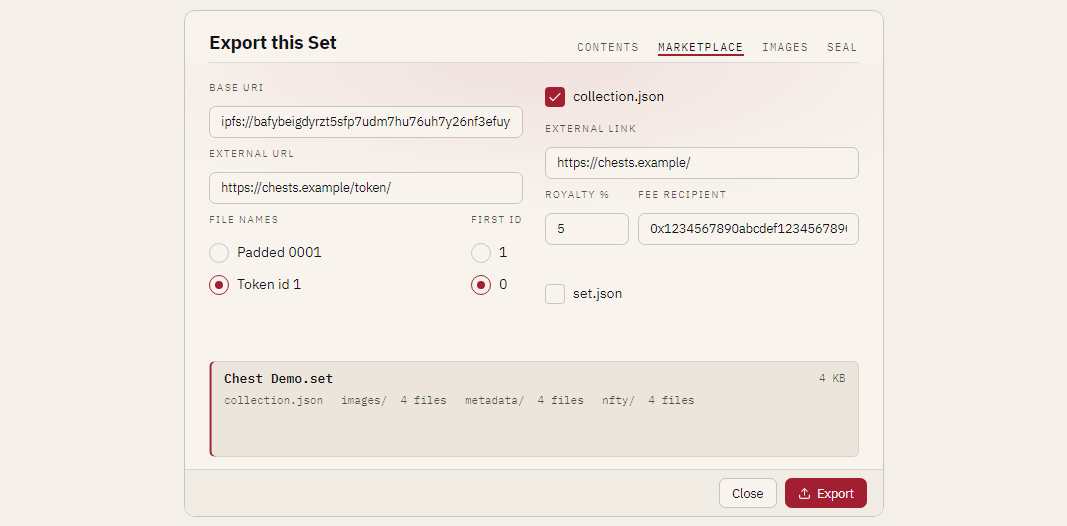
(ipfs://<CID>/1.png), file names the contract can compute (1, not 0001.json), and a
collection file for the contract itself. The Marketplace tab of the export card, and the matching
nfty export options, write all of that into the export. Your cooked Set is never changed.
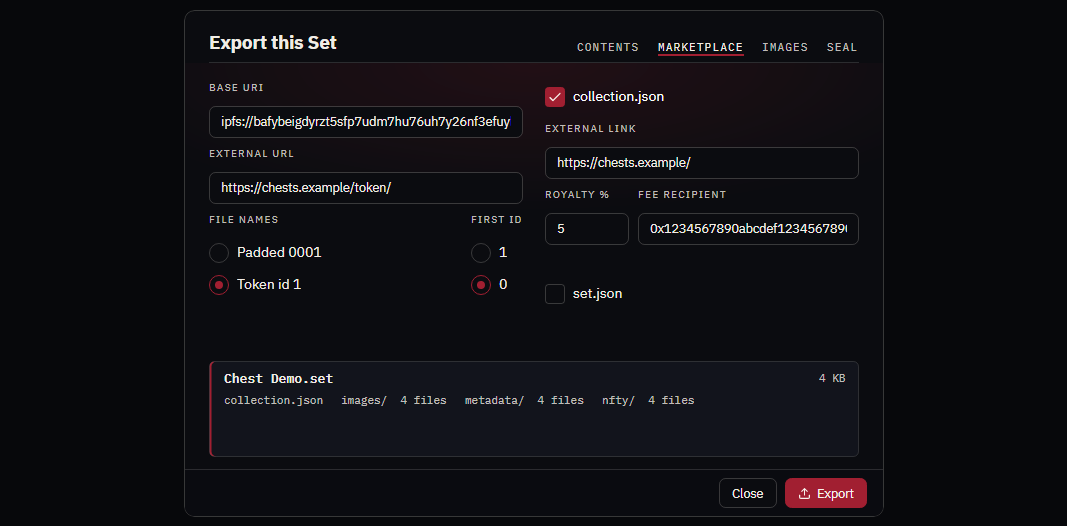
Open the Set, press Export…, choose the Marketplace preset, and open the MARKETPLACE tab.
Upload in one step
nfty can do the upload for you. It talks to an IPFS node running on your machine
(IPFS Desktop or Kubo, at http://127.0.0.1:5001)
by default, or to Pinata with your own API key.
- Start IPFS Desktop (or
ipfs daemon). To use Pinata instead, open Settings (the gear in the title bar), go to PUBLISHING, choose Pinata and paste your key's JWT. The key is kept in your system's credential store (Windows Credential Manager, the macOS keychain, the Secret Service on Linux), never in a file, and the card only ever shows its last four characters. - Open the Set, press Export…, choose the Marketplace preset and fill in the MARKETPLACE tab. The preset already chooses Token id file names, which a contract drop needs. Leave the base URIs empty: the upload writes them.
- Open the UPLOAD tab. It names the provider and shows whether nfty can reach it
(
connected · kubo 0.29.0, ornot reachablewith what to start). Press Upload and choose where to keep your copy.
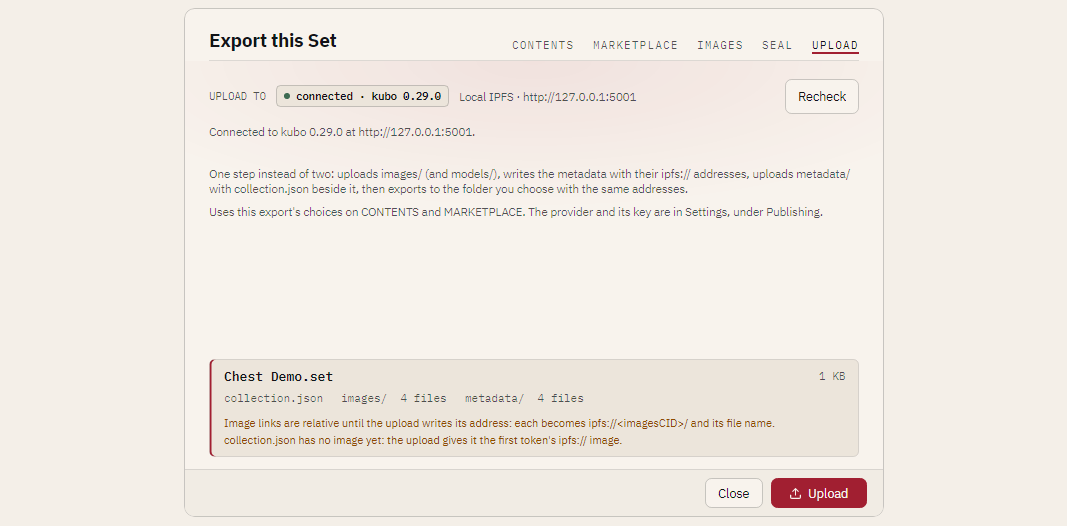
nfty then uploads images/ (and models/), writes the metadata with those ipfs:// addresses,
uploads metadata/ with collection.json beside the token files, and writes the export to your
folder with the same addresses, so your copy is byte for byte what was pinned. When it finishes the
tab shows, each with Copy:
| Address | Use |
|---|---|
| Base URI | Your contract's baseURI: ipfs://<metadataCID>/. With Token id names, baseURI + tokenId is metadata/1. |
| Contract URI | Your contract's contractURI: ipfs://<metadataCID>/collection.json. |
| Images, Models, Metadata | Each uploaded folder. |
Cancel stops between steps; whatever the service already received stays pinned. The window will
not close under a running upload. From the terminal the same run is nfty export ... --upload
(--pinata --pinata-key <source> for Pinata); see the command line reference.
Upload by hand
If you use another pinning service, or want to look at the files between the steps, do the same thing in two exports:
# 1. the art first, nothing that needs an address yet
nfty export ./collection --out ./dist-art --art-only --token-names token-id
# ... upload dist-art/<name>/images, copy its folder CID ...
# 2. the metadata, now that the art has an address
nfty export ./collection --out ./dist --preset marketplace \
    --image-base-uri ipfs://<imagesCID>/ \
    --token-names token-id --start-id 1 \
    --external-url https://example.com/chest/ \
    --external-link https://example.com/ \
    --royalty 5 --fee-recipient 0x1234567890abcdef1234567890abcdef12345678
The two steps
nfty does not deploy a contract or mint. Every NFT drop runs in the same order, because the metadata has to carry the address of the art, so the art must be uploaded first:
- Export the art only. On the MARKETPLACE tab press Art only (or, in the terminal,
--art-only). That exportsimages/(andmodels/when the Set has them) with no metadata, nocollection.jsonand noset.json. Use the same Token id naming you will use in step 3, so the file names match. - Upload
images/(andmodels/) and copy each folder's address. Any IPFS pinning service works: Pinata or NFT.Storage (upload the folder in the browser), or Kubo (ipfs add -r --cid-version=1 images). The CID you get is the folder's own: its contents sit at the root, so the first picture isipfs://<imagesCID>/1.png. There is noimages/in the link. - Export again with the addresses. Put
ipfs://<imagesCID>/in Image base URI (andipfs://<modelsCID>/in Model base URI if you have glb models), or pass--image-base-uriand--model-base-uri. Everyimagebecomesipfs://<imagesCID>/1.pngand eachanimation_urlipfs://<modelsCID>/1.glb. Open the result in nfty (below) to check it before you upload it. - Upload
metadata/. Its folder CID is your contract's base URI,ipfs://<metaCID>/: with Token id naming,baseURI + tokenIdresolves tometadata/1. Point the contract'scontractURIatcollection.json.
Each address must be absolute (ipfs, https, http or ar) and must end with a slash; nfty
refuses anything else and says which rule it broke, rather than guessing what you meant. A model
address is used only for glb models that are exported.
Leave the image address empty and the links stay relative. The card and the terminal both tell you
what is missing, because a marketplace cannot resolve images/0001.png:
Image links are relative: upload images/ first, then set the Image base URI to where they live.
(The terminal's version names the flag, --image-base-uri.) On the UPLOAD tab these are not warnings:
the upload writes the addresses, so nothing about them is listed, and once it has finished the
card describes what was written.
Name the files the way your contract counts
A contract builds a token's address as baseURI + tokenId. Choose Token id (--token-names
token-id) and the files are named by that id alone: metadata/1 with no extension, images/1.png,
models/1.glb. The #n in each item's name and every link follow. First token id (--start-id)
is 1 (the default) or 0, as your contract counts: the id is the asset's number minus one plus
that start.
The Marketplace preset starts at Token id. The default for everything else, Padded, is exactly what nfty has always written (0001.json, 0001.png), byte for
byte. nfty/ keeps the Set's own names and numbering whichever you pick; it is nfty's record of the
Set, cross-referenced by set number, and not what a marketplace reads.
An export that keeps set.json records how it named its files (a files block with the naming and the
first id), so nfty reopens it as a full Set whatever you chose, and exporting it again renames the files
for the new request. You cannot extend such an export: it would mix names. Extend the source Set,
then export again.
Models cooked as .gltf plus a separate .bin are renamed as a pair: nfty rewrites the one link inside
the .gltf that names its .bin, and nothing else in the file changes.
Describe the collection for the contract
Tick collection.json (on in the Marketplace preset) and nfty writes OpenSea's contractURI file:
{
  "name": "Chest Demo",
  "description": "A demo collection that ships with nfty: layered chests to open, edit and cook. Nothing here is precious - break it and rebuild it.",
  "image": "ipfs://<imagesCID>/1.png",
  "external_link": "https://example.com/",
  "seller_fee_basis_points": 500,
  "fee_recipient": "0x1234567890abcdef1234567890abcdef12345678",
  "symbol": "CHST"
}
The name, description and symbol come from the Set. External link is your site; Royalty is a
percentage from 0 to 100 with at most two decimals (it becomes whole basis points, 2.5% is 250) and
needs a Fee recipient, 0x and 40 hexadecimal digits. The image is the first token's image
when an image base URI is set and the art is included, unless you give one. A field left empty is left out
of the file.
Link each item back to you
Give External URL an address and each item gets an external_url of that address followed by its
token id. When the Set was cooked with 3D models in glb, a Model base URI is set and models are being
exported, each item also gets an animation_url, that address followed by <id>.glb; models in
other formats are not linked, and the card says so.
Keep the seed to yourself
set.json records the seed and the hash of the book. The Marketplace preset turns set.json off so
a public drop does not publish them. An export without it cannot be sealed, and it is not a Set: it
records no seed, rarity or DNA. Every other preset keeps it.
Check the bundle before you upload it
nfty still opens a bundle without set.json, read only, so you can look at exactly what you are about
to upload. Start nfty on the folder (nfty <folder>) or open a packed .set with Open a cooked .set, and it
opens in the viewer's gallery marked upload bundle, not a Set, with one tile per metadata/
item. A tile shows the picture, the name and every trait; the rail shows what collection.json says
(name, symbol, royalty, payee, links). Pictures are found inside the bundle: a relative link is a path
in it, and an absolute ipfs:// or https:// link is matched by its trailing file name (.../1.png) onto
the bundle's own images/ folder. Nothing is fetched from the network. A picture the bundle does not
carry shows the missing mark. From the terminal, nfty inspect <folder> prints the same check: item
count, pictures found, collection.json and every trait with its values.
A folder counts as a bundle only when it has no set.json, has a metadata/ folder, and the first
file in it is an item with a name, an image and an attributes list. Any other folder is left alone.
What a finished item looks like
This is metadata/1 exported from the demo CookBook with the options above:
{
  "name": "Chest Demo #1",
  "description": "A demo collection that ships with nfty: layered chests to open, edit and cook. Nothing here is precious - break it and rebuild it.",
  "image": "ipfs://<imagesCID>/1.png",
  "external_url": "https://example.com/chest/1",
  "attributes": [
    { "trait_type": "Type", "value": "Chest" },
    { "trait_type": "Feet", "value": "Skids" },
    { "trait_type": "Body", "value": "Plated" },
    { "trait_type": "Body Color", "value": "Orange" },
    { "trait_type": "Bands", "value": "Straps" },
    { "trait_type": "Bands Color", "value": "Gray" },
    { "trait_type": "Lock", "value": "Latch" },
    { "trait_type": "Lock Color", "value": "Yellow" },
    { "trait_type": "Glow", "value": "None" },
    { "trait_type": "Trim", "value": "None" }
  ]
}
The ... Color traits and None are in the cooked Set itself; see
Color traits and None.
Before you upload
The panel at the bottom of the card, and the terminal, name every file going and every warning: relative links, metadata whose images are not in the export (the links would dangle), a collection with no image. An export with nothing in it is refused.
nfty does not write display_type or numeric traits: its traits are categories (a layer and the
variant it rolled), not numbers, so there is nothing to say "level 5 of 10" about.
See also: Share a collection with somebody for the other presets, and the command line reference.