The three kinds of layer
Every layer is one of three kinds, chosen when you create it. This is the most consequential decision you make about a layer, because it decides how you draw it.
D Dynamic -- a different color every time
You draw it in gray. nfty rolls a color for it on every asset, from a range you set.
Use it for anything that should vary: auras, fur, clothing, gems. This is where the multiplication happens -- one gray drawing with a wide hue range becomes dozens of visibly different assets.
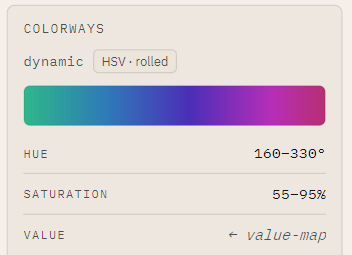
You set a hue range (0-360 degrees around the color wheel) and a saturation range (0-100%, gray to vivid). Every asset rolls a color inside those.
S Static -- one fixed color, always
You draw it in gray, and nfty applies a single color you choose. Same color on every asset, no randomness at all.
Use it for anything that should be consistent but is easier to draw in gray: an outline, a shadow, a brand color, the eyes in these screenshots.
Static is not a lesser Dynamic. It is the kind that says this must never vary, and it is worth using deliberately -- a collection where everything rolls is noise.
C Custom -- exactly what you drew
Full-color art, placed as-is and never recolored.
Use it for anything whose colors matter as drawn: a logo, a detailed background, a piece of art that is not a silhouette. The hats in these screenshots are Custom, which is why the blue cap is blue on every asset while the creature under it changes color.
Custom layers carry no colorization settings at all, so they contribute their variant choice and nothing else to an asset's fingerprint.
Seeing a layer's range
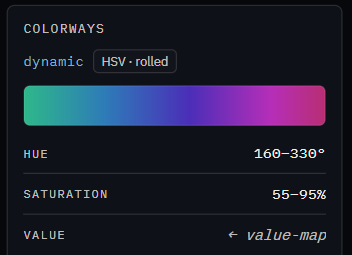
The Ingredient panel shows the band of colors a layer can actually take, with its hue and saturation ranges under it:
A Static layer shows one swatch there, and a Custom layer says colorization does not apply.
Choosing
| If the layer... | Use |
|---|---|
| should look different on different assets | Dynamic |
| must be the same color every time, but is a silhouette or shading | Static |
| has colors that are the point | Custom |
You can change your mind, at a price
Converting a Dynamic or Static layer to Custom discards its hue and saturation ranges and its quantize steps permanently. See Paint in full color.